I gave a talk this weekend at Social Science FOO Camp in Mountain View. The event was a classic unconference format where anyone could present a talk without needing to propose it in advance. I grabbed a slot for a talk I titled "The State of LLMs, February 2026 edition", subtitle "It's all changed since November!". I vibe coded a custom macOS app for the presentation the night before.
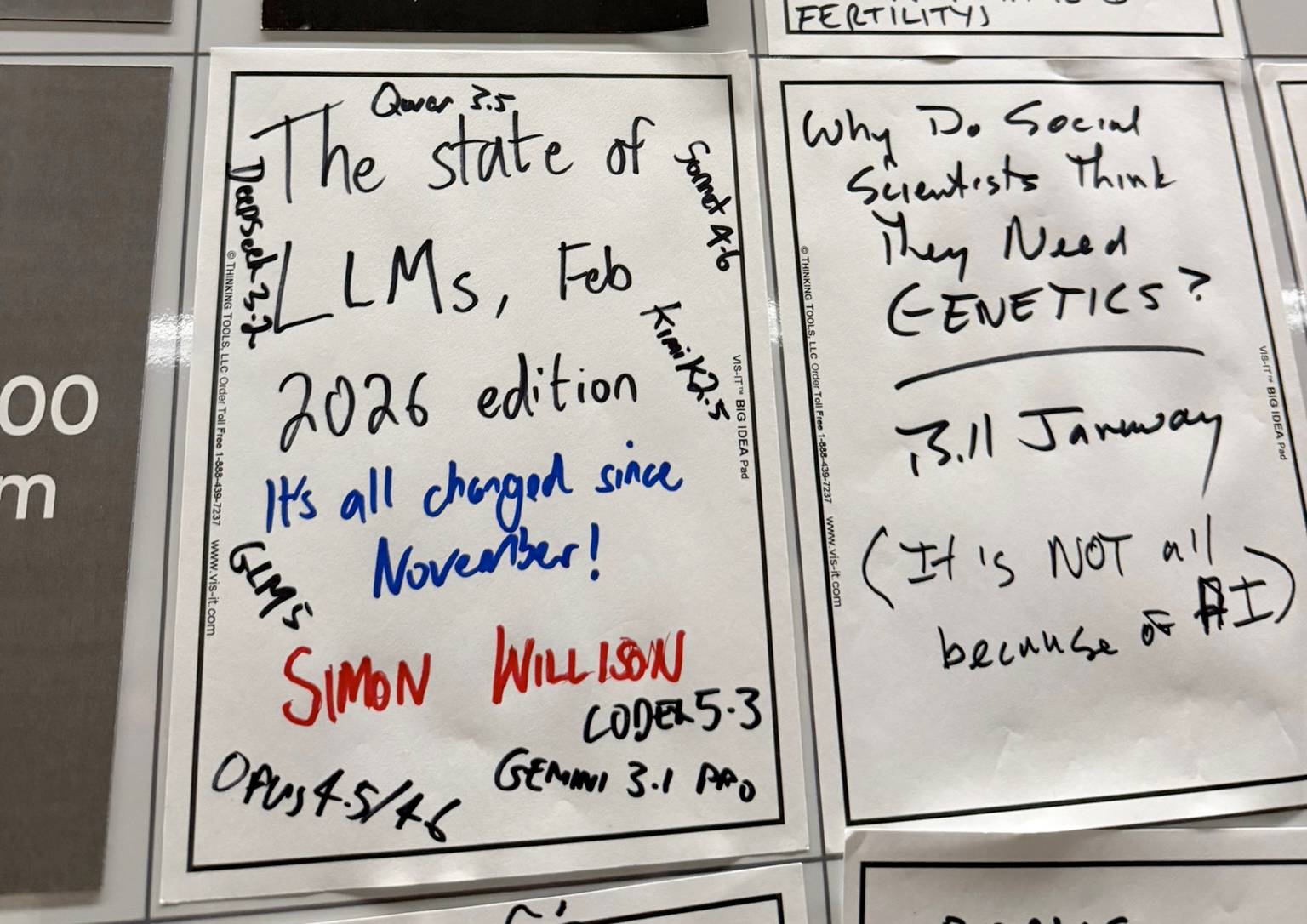
I've written about the last twelve months of development in LLMs in December 2023, December 2024 and December 2025. I also presented The last six months in LLMs, illustrated by pelicans on bicycles at the AI Engineer World’s Fair in June 2025. This was my first time dropping the time covered to just three months, which neatly illustrates how much the space keeps accelerating and felt appropriate given the November 2025 inflection point.
(I further illustrated this acceleration by wearing a Gemini 3 sweater to the talk, which I was given a couple of weeks ago and is already out-of-date thanks to Gemini 3.1.)
I always like to have at least one gimmick in any talk I give, based on the STAR moment principle I learned at Stanford - include Something They'll Always Remember to try and help your talk stand out.
For this talk I had two gimmicks. I built the first part of the talk around coding agent assisted data analysis of Kākāpō breeding season (which meant I got to show off my mug), then did a quick tour of some new pelicans riding bicycles before ending with the reveal that the entire presentation had been presented using a new macOS app I had vibe coded in ~45 minutes the night before the talk.
Present.app
The app is called Present - literally the first name I thought of. It's built using Swift and SwiftUI and weighs in at 355KB, or 76KB compressed. Swift apps are tiny!
It may have been quick to build but the combined set of features is something I've wanted for years.
I usually use Keynote for presentations, but sometimes I like to mix things up by presenting using a sequence of web pages. I do this by loading up a browser window with a tab for each page, then clicking through those tabs in turn while I talk.
This works great, but comes with a very scary disadvantage: if the browser crashes I've just lost my entire deck!
I always have the URLs in a notes file, so I can click back to that and launch them all manually if I need to, but it's not something I'd like to deal with in the middle of a talk.
This was my starting prompt:
Build a SwiftUI app for giving presentations where every slide is a URL. The app starts as a window with a webview on the right and a UI on the left for adding, removing and reordering the sequence of URLs. Then you click Play in a menu and the app goes full screen and the left and right keys switch between URLs
That produced a plan. You can see the transcript that implemented that plan here.
In Present a talk is an ordered sequence of URLs, with a sidebar UI for adding, removing and reordering those URLs. That's the entirety of the editing experience.
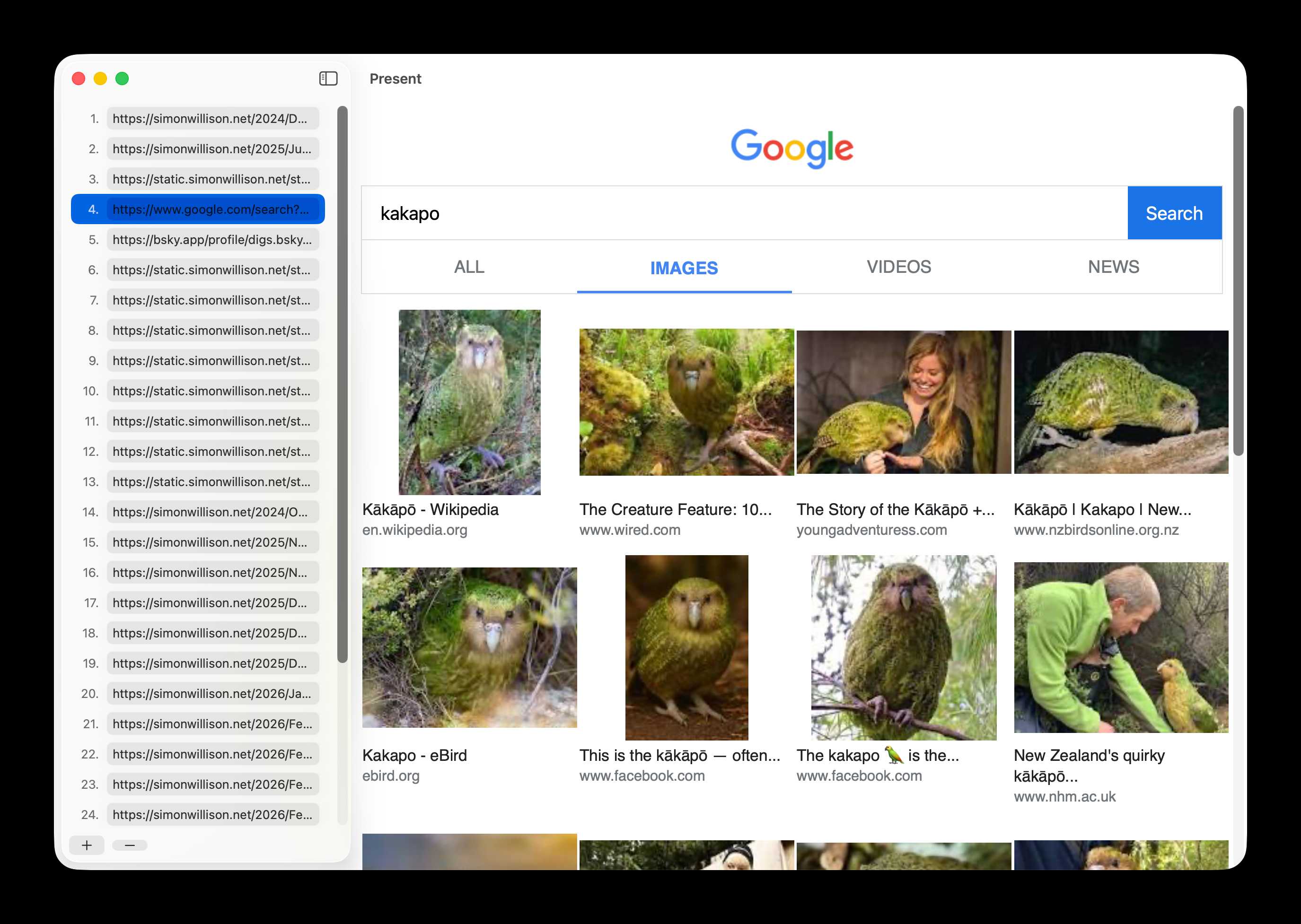
When you select the "Play" option in the menu (or hit Cmd+Shift+P) the app switches to full screen mode. Left and right arrow keys navigate back and forth, and you can bump the font size up and down or scroll the page if you need to. Hit Escape when you're done.
Crucially, Present saves your URLs automatically any time you make a change. If the app crashes you can start it back up again and restore your presentation state.
You can also save presentations as a .txt file (literally a newline-delimited sequence of URLs) and load them back up again later.
Remote controlled via my phone
Getting the initial app working took so little time that I decided to get more ambitious.
It's neat having a remote control for a presentation...
So I prompted:
Add a web server which listens on 0.0.0.0:9123 - the web server serves a single mobile-friendly page with prominent left and right buttons - clicking those buttons switches the slide left and right - there is also a button to start presentation mode or stop depending on the mode it is in.
I have Tailscale on my laptop and my phone, which means I don't have to worry about Wi-Fi networks blocking access between the two devices. My phone can access http://100.122.231.116:9123/ directly from anywhere in the world and control the presentation running on my laptop.
It took a few more iterative prompts to get to the final interface, which looked like this:
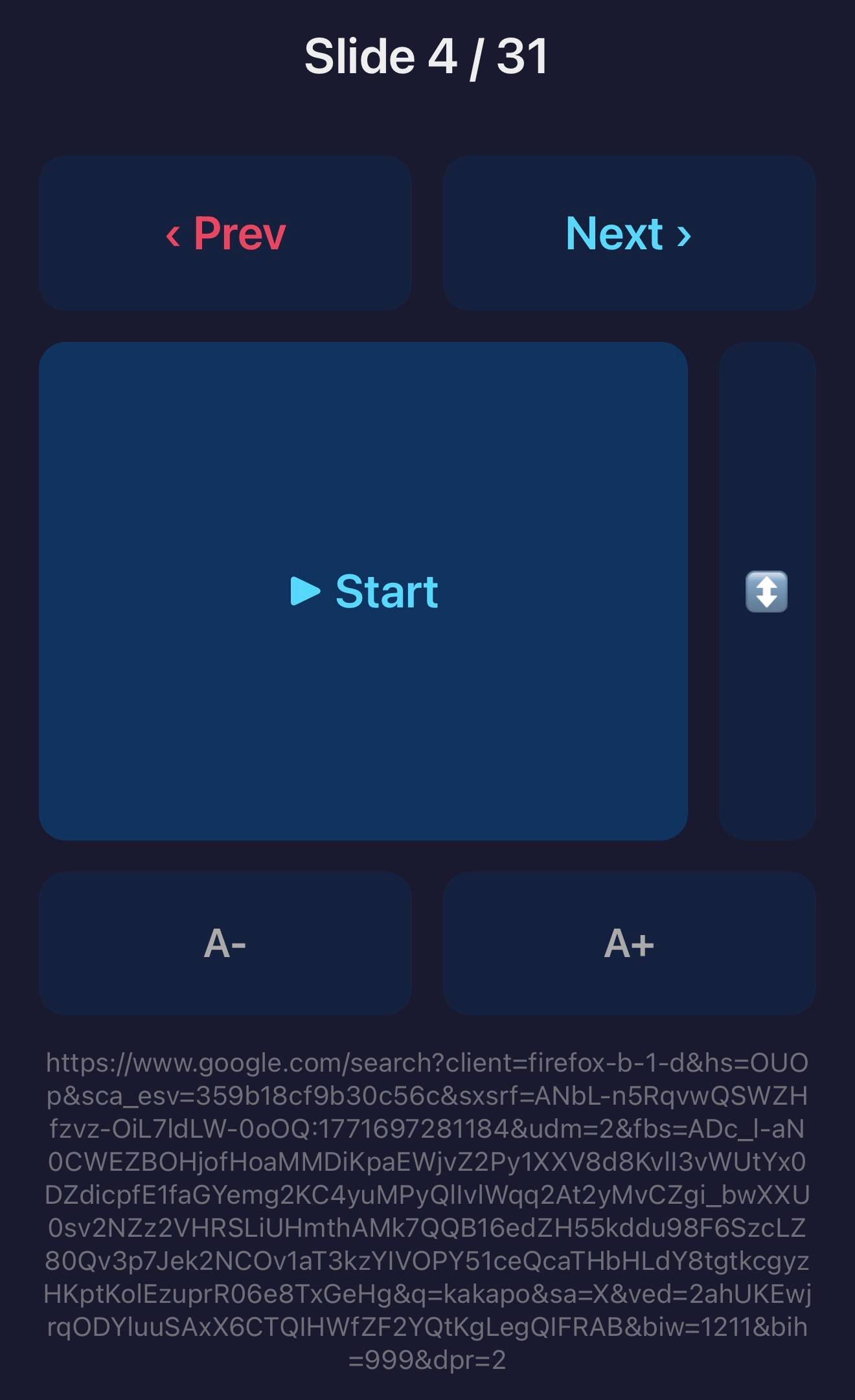
There's a slide indicator at the top, prev and next buttons, a nice big "Start" button and buttons for adjusting the font size.
The most complex feature is that thin bar next to the start button. That's a touch-enabled scroll bar - you can slide your finger up and down on it to scroll the currently visible web page up and down on the screen.
It's very clunky but it works just well enough to solve the problem of a page loading with most interesting content below the fold.
Learning from the code
I'd already pushed the code to GitHub (with a big "This app was vibe coded [...] I make no promises other than it worked on my machine!" disclaimer) when I realized I should probably take a look at the code.
I used this as an opportunity to document a recent pattern I've been using: asking the model to present a linear walkthrough of the entire codebase. Here's the resulting Linear walkthroughs pattern in my ongoing Agentic Engineering Patterns guide, including the prompt I used.
The resulting walkthrough document is genuinely useful. It turns out Claude Code decided to implement the web server for the remote control feature using socket programming without a library! Here's the minimal HTTP parser it used for routing:
    private func route(_ raw: String) -> String {
        let firstLine = raw.components(separatedBy: "\r\n").first ?? ""
        let parts = firstLine.split(separator: " ")
        let path = parts.count >= 2 ? String(parts[1]) : "/"

        switch path {
        case "/next":
            state?.goToNext()
            return jsonResponse("ok")
        case "/prev":
            state?.goToPrevious()
            return jsonResponse("ok")
Using GET requests for state changes like that opens up some fun CSRF vulnerabilities. For this particular application I don't really care.
Expanding our horizons
Vibe coding stories like this are ten a penny these days. I think this one is worth sharing for a few reasons:
- Swift, a language I don't know, was absolutely the right choice here. I wanted a full screen app that embedded web content and could be controlled over the network. Swift had everything I needed.
- When I finally did look at the code it was simple, straightforward and did exactly what I needed and not an inch more.
- This solved a real problem for me. I've always wanted a good way to serve a presentation as a sequence of pages, and now I have exactly that.
This doesn't mean native Mac developers are obsolete. I still used a whole bunch of my own accumulated technical knowledge (and the fact that I'd already installed Xcode and the like) to get this result, and someone who knew what they were doing could have built a far better solution in the same amount of time.
It's a neat illustration of how those of us with software engineering experience can expand our horizons in fun and interesting directions. I'm no longer afraid of Swift! Next time I need a small, personal macOS app I know that it's achievable with our existing set of tools.
Tags: macos, ai, generative-ai, llms, ai-assisted-programming, vibe-coding, swift, agentic-engineering